> ## Documentation Index
> Fetch the complete documentation index at: https://docs.fourseasonshosting.com/llms.txt
> Use this file to discover all available pages before exploring further.
# How to Cancel A Service
1. Login in to your client account on the [Client Portal](https://fourseasonshosting.com/client/clientarea.php)
2. Click on "Services" > "My Services" at top bar on Navigation Bar
3. You'll see the list of services, click on Service that you want to cancel.
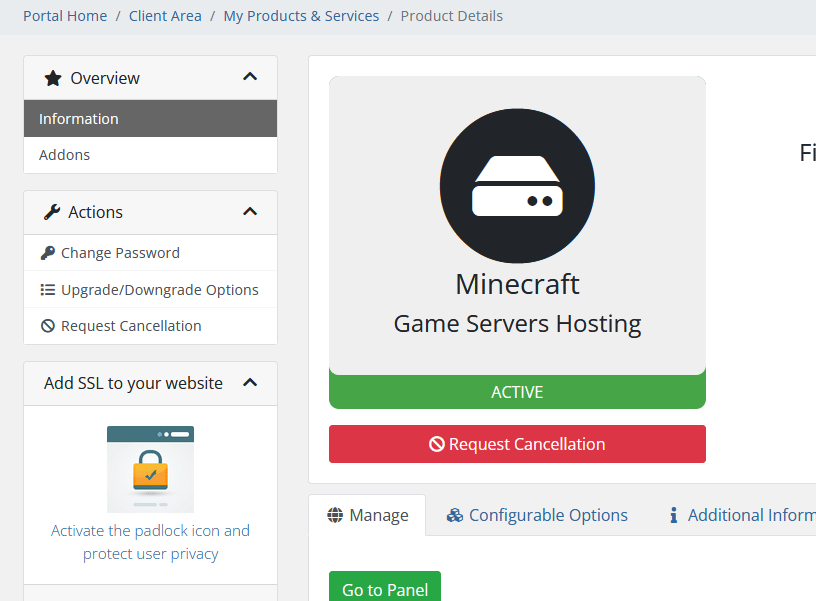 This is what it should look like when in the right area!
4. Click on Request Cancellation and follow the prompts on the screen
**Immediate** means it will Terminated at the **next** 8pm EST
When a service is canceled ALL SERVER DATA WILL BE DELETED AND ***UNRECOVERABLE***
This is what it should look like when in the right area!
4. Click on Request Cancellation and follow the prompts on the screen
**Immediate** means it will Terminated at the **next** 8pm EST
When a service is canceled ALL SERVER DATA WILL BE DELETED AND ***UNRECOVERABLE***