Logging into your VPS (Windows)
Written By Xylo01
Last updated 23 days ago
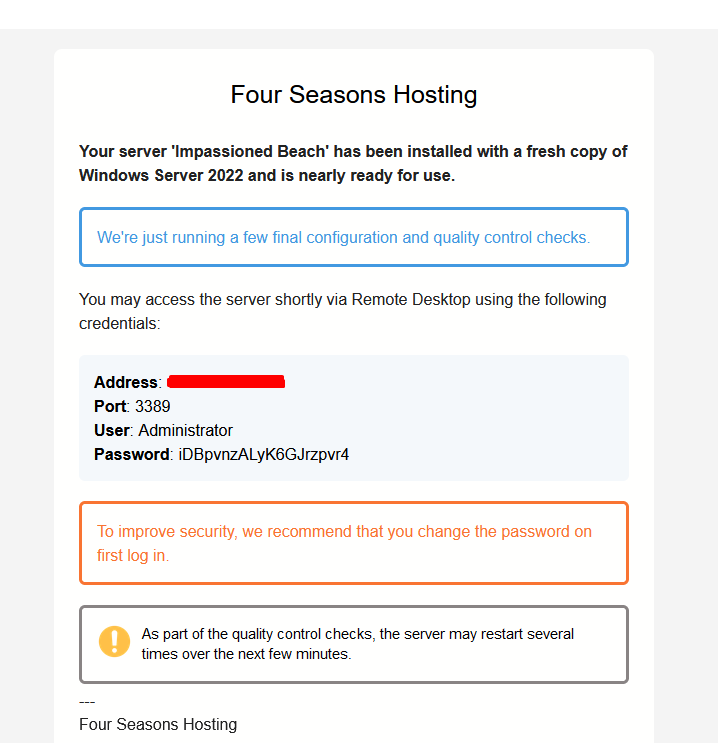
Your login details are sent via email please check your spam/junk folder.
If you just placed an order please allow around 5 miniutes for the VPS Panel Info to get to you
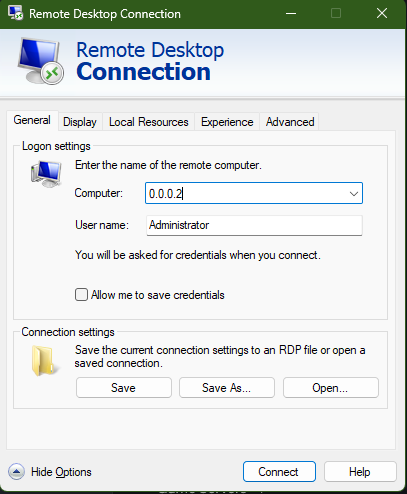
When hitting connect you may be promoted, please allow and click "Do not remind me again"
You should now be connected to your VPS. If you are unable to connect please open a ticket with the support team.