
For Windows OS
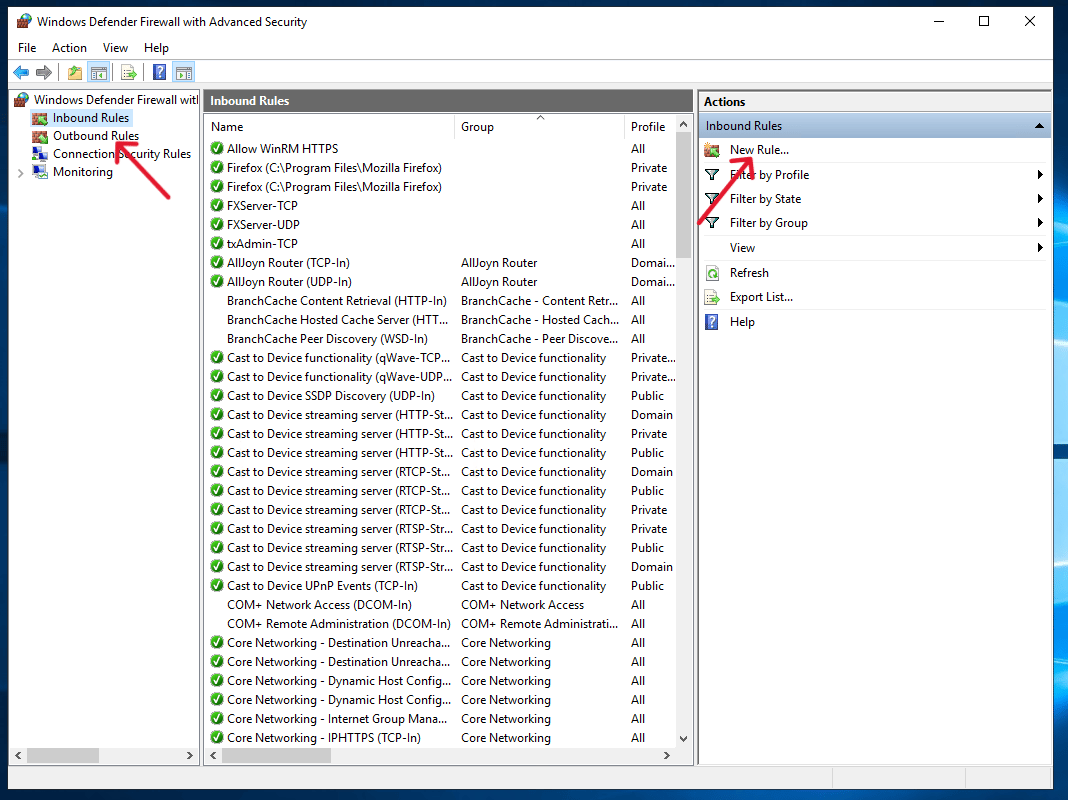
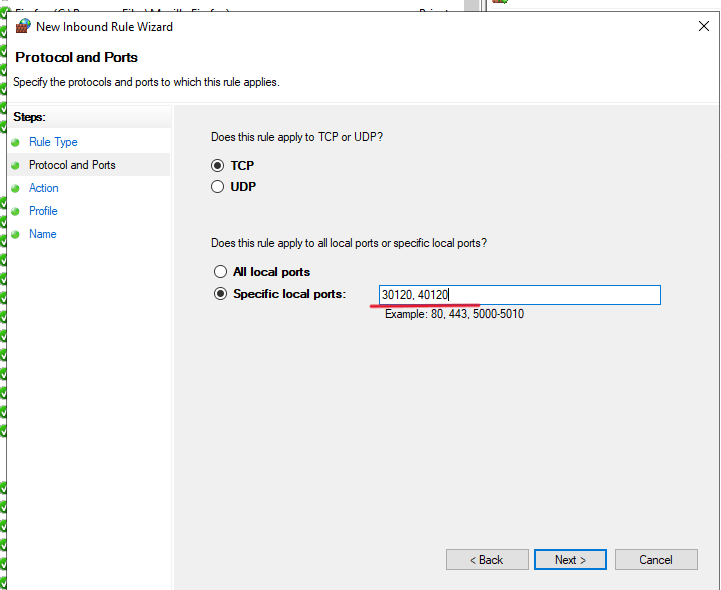
- To open ports on Windows, access “Windows Defender Firewall with Advanced Security.” You can achieve this by utilizing the Windows search function or navigating to the control panel, both of which are accessible by pressing the Windows Key.
- Once you locate the “Windows Defender Firewall with Advanced Security” and reach the main page, proceed to access the “Inbound Rules” section located in the left column. On the right column, choose “New Rule…” as indicated below.
For Ubuntu OS
- Install UFW: If UFW is not already installed on your system, run the following command to install it:
- Check the status of UFW: Before making any changes, it’s a good idea to check the current status of UFW. Run the following command:
- Allow incoming connections: To allow incoming connections on a specific port, run the following command, replacing “port_number” with the desired port number (tcp or udp can be added to open that required protocol):
- Check UFW rules: To view the rules that UFW is currently following, run the following command:
- Enable UFW: Once you have added the necessary rules, you can enable UFW by running the following command: